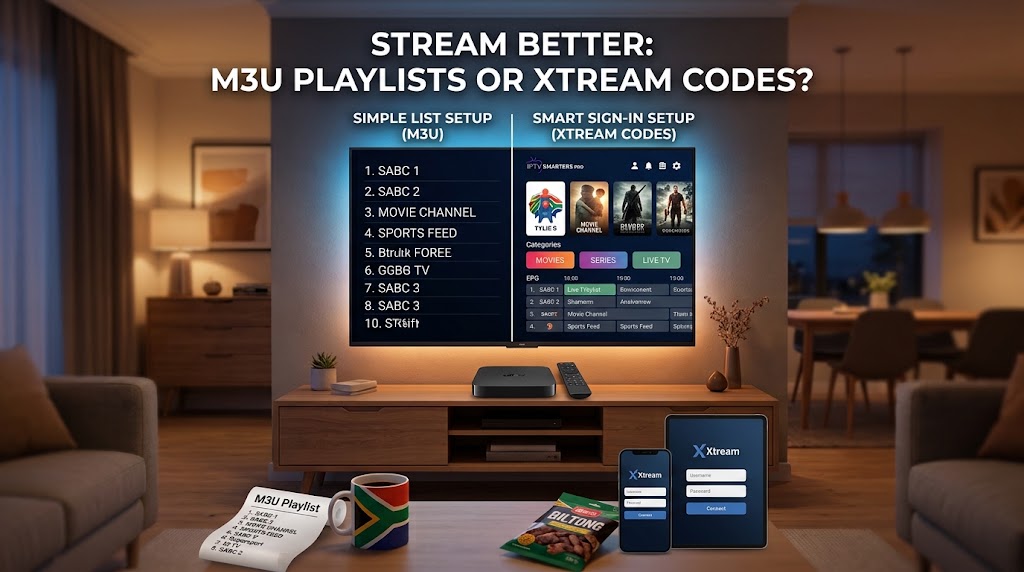
Xtream Codes API vs. M3U Playlists: IPTV Connection Protocols Compared
Overview of IPTV Authentication Protocols
IPTV streaming clients connect to provider servers primarily through two protocols: flat file M3U playlists or the database-driven Xtream Codes API. While both methods ultimately deliver live media feeds and on-demand streams, their underlying mechanisms for data parsing, menu index organization, and user authentication differ significantly.
Understanding the technical distinctions between these protocols helps in choosing the optimal setup for stability, navigation speed, and data efficiency across various streaming devices and apps.
1. M3U Playlist File Architecture
An M3U playlist is a structured, plain-text plain index file listing media entries sequentially. Each entry contains metadata directives followed by the media stream network path:
#EXTINF:-1 tvg-id="Channel1" tvg-name="Channel 1" tvg-logo="https://example.com/logo.png" group-title="Sports",Channel 1
http://server.example.com:8080/live/username/password/101.ts
Performance Considerations
Because M3U playlists are monolithic, media players must download and parse the entire file into memory before building the user interface. Playlists containing tens of thousands of live channels and VOD titles require significant RAM and processing overhead, which can cause startup delays or crashes on lower-spec hardware.
2. Xtream Codes API Architecture
The Xtream Codes API utilizes a parameter-based query system. Instead of downloading a full database locally, the client application passes credentials to query specific database endpoints on the server:
Server URL: http://server.example.com:8080
Username: user_identifier
Password: auth_token
On-Demand Data Fetching
When using the Xtream Codes API, client apps load channel lists, categories, and VOD details dynamically via JSON requests. Unrequested categories remain on the server, significantly reducing initial app boot times and local memory utilization.
3. Comparative Analysis
-
Authentication
M3U: Single long URL containing plaintext parameters.
Xtream API: Separated Server URL, Username, and Password fields. -
Initialization
M3U: Sequential file parsing; high initial bandwidth and RAM consumption.
Xtream API: Targeted API queries; loads specific requested sub-categories dynamically. -
EPG Integration
M3U: Requires configuring and fetching a separate external XMLTV file link.
Xtream API: Direct EPG mapping delivered automatically through server endpoints. -
VOD Metadata
M3U: Limited to basic string titles and flat category flags.
Xtream API: Supports rich JSON responses, including poster artwork, cast data, and episode structures. -
Credential Exposure
M3U: Credentials visible within full raw stream request URLs.
Xtream API: Parameters handled via structured server API authorization routines.
4. Electronic Program Guide (EPG) & VOD Synchronization
EPG synchronization highlights key differences in protocol efficiency. Standard M3U setups rely on secondary XMLTV files that must be periodically downloaded and mapped line-by-line within application settings.
Conversely, modern streaming players (such as TiviMate, IPTV Smarters, or XCIPTV) use the Xtream Codes API to query schedule parameters natively. VOD data is organized into database relational tables, allowing applications to populate structured category grids, cover art, and episodic content seamlessly.
5. Protocol Recommendations
Use M3U Playlists When:
Operating basic media players like VLC or Kodi without API support, or when loading custom short-list playlists with a minimal channel count.
Use Xtream Codes API When:
Utilizing modern IPTV streaming clients on Smart TVs, Android TV, or mobile platforms where EPG automation, fast loading times, and organized VOD navigation are required.